

How to guide: Reboot Sky Stream Box (Sky Stream Puck)
Reboot Sky Stream. If your Sky Stream Puck is slow, buffering, or apps are not loading properly, restarting the device can often fix the problem. A reboot refreshes the system and reconnects the device to the internet without deleting your settings or apps.
Below are the easiest ways to refresh your Sky Stream box.
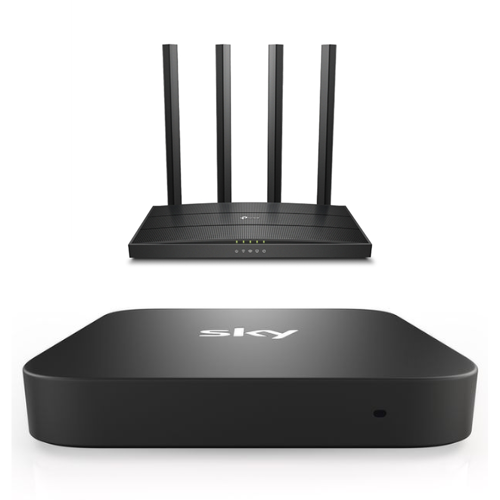 Method 1: Restart from the Settings Menu
This is the recommended way to restart your Sky Stream device.
Steps:
-
Press the Home button on your Sky remote.
-
Scroll to Settings.
-
Select System management.
-
Choose Restart device.
-
Confirm the restart.
Your Sky Stream Puck will reboot and return to the home screen within a couple of minutes.
Method 2: Power Cycle the Sky Stream Box
If the device is frozen or unresponsive, you can restart it by cutting the power.
Steps:
-
Turn off the Sky Stream Puck at the wall socket.
-
Unplug the power cable from the device.
-
Wait 30 seconds.
-
Plug the power cable back in.
-
Turn the power back on.
The device will automatically boot up.
Method 3: Remote Control Restart Shortcut
Some users can restart the device using the remote.
Steps:
-
Press and hold the Standby (Power) button on the Sky remote for about 5 seconds.
The device should restart automatically.
Why You Might Need to Reboot Your Sky Stream Box
Restarting your Sky Stream Puck can help resolve common issues such as:
-
Slow performance
-
Apps freezing or crashing
-
Streaming or buffering problems
-
Wi-Fi connection issues
-
Blank or stuck screens
A quick reboot refreshes the system and restores normal performance.
How Long Does a Sky Stream Reboot Take?
A typical reboot takes 1–2 minutes. During this time, the screen may go black while the device restarts.
If problems continue after restarting, you may want to check your internet connection or update the system software.
Contact our team on info@skycards.eu or 0044 2032 838 000